
I am currently working toward refreshing my Private Pilot Licence at Namao Flying Club in Villeneuve, Alberta -- flying the Cessna 172M and 172R. Aviation training is genuinely demanding. There is a lot to learn, a lot to memorize, and a lot of material spread across textbooks, Transport Canada guides, aircraft-specific manuals, instructor notes and my own notes. The study experience, at least in the early stages, is fragmented.
So, I built a tool to help me. Over a series of working sessions with Claude, I put together a personal pilot refresher training dashboard. I also use ChatGPT for some functions, such as translating images to text, or generating images and diagrams from my notes. It is a purpose-built web application that consolidates the study materials, reference cards, interactive tools, and checklists I need into one place. To be super clear, this is a study tool and not used in the cockpit. Here is what's included so far. As I progress towards a commercial license, I can see the utility of the study platform growing.
Procedure cards
The dashboard starts with the procedures I use most often. These are quick-reference cards for the standard flows -- organized by phase of flight, formatted in the standard way based on images I took of the checklist cards.
The circuit card walks through each leg (upwind, crosswind, downwind, base, final) with the specific actions, speeds, and radio calls at CZVL.
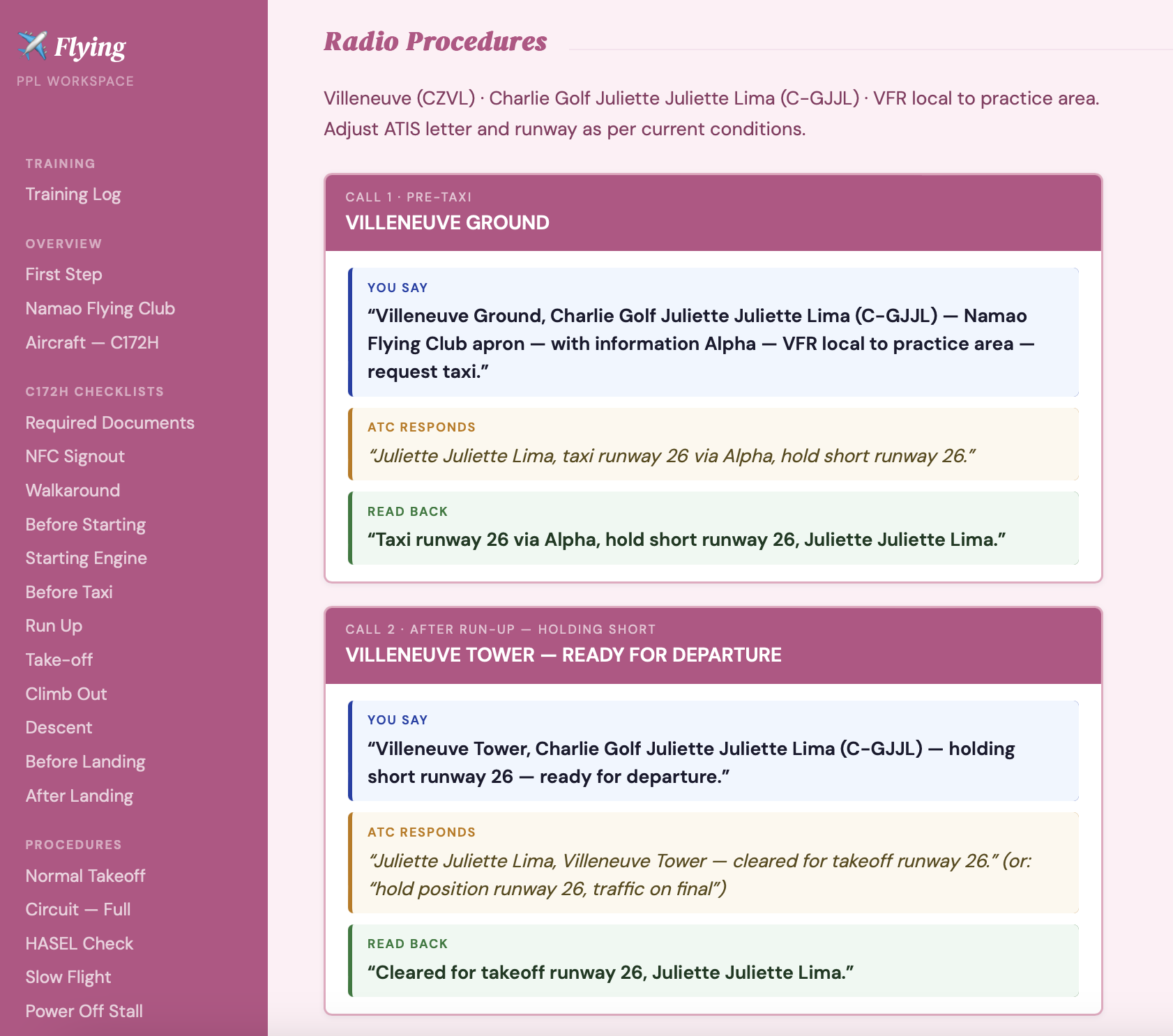
Radio Procedures card -- scripted calls for pre-taxi, run-up, and departure at CZVL Villeneuve
Learning modules
Beyond reference cards, the dashboard has dedicated learning pages for the exercises that require the most depth.
Circuit Module -- SVG diagram of the various left and right hand circuits at CZVL, leg-by-leg breakdown, flap sequence flow, radio calls, touch-and-go procedure, and common errors.
Precautionary Landing -- COWLS field assessment framework, inspection pass procedures, SVG circuit diagram, approach angle diagram, and Exercise 21 flight test criteria.
Navigation Module -- Interactive wind triangle calculator, TVMDC heading converter, time and fuel calculator, VNC chart symbols guide, and airspace reference for the Edmonton area.
Emergency Procedures -- All 16 Namao Flying Club C172M emergency procedures as individual A5-sized printable cards -- colour-coded by severity, with memory items flagged.
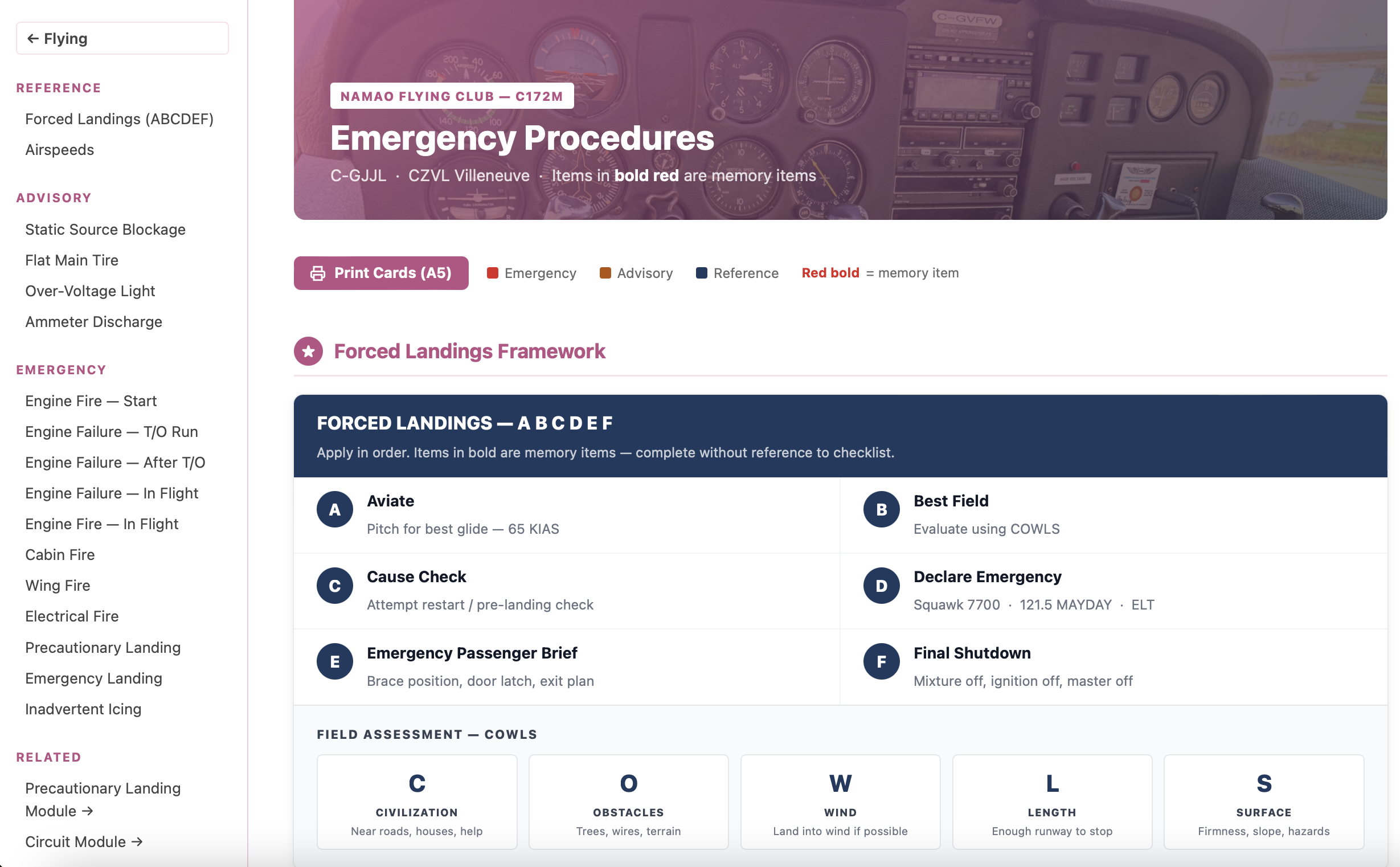
Emergency Procedures page -- forced landings framework, colour-coded cards, and printable A5 layout
The navigation module was the most technically interesting build. The wind triangle calculator uses proper vector math to solve for ground speed and wind correction angle. You input true airspeed, track, wind direction, and wind speed, and it calculates the magnetic heading to fly and the ground speed to expect, running through the full TVMDC conversion. It matches what you would work out on an E6B.
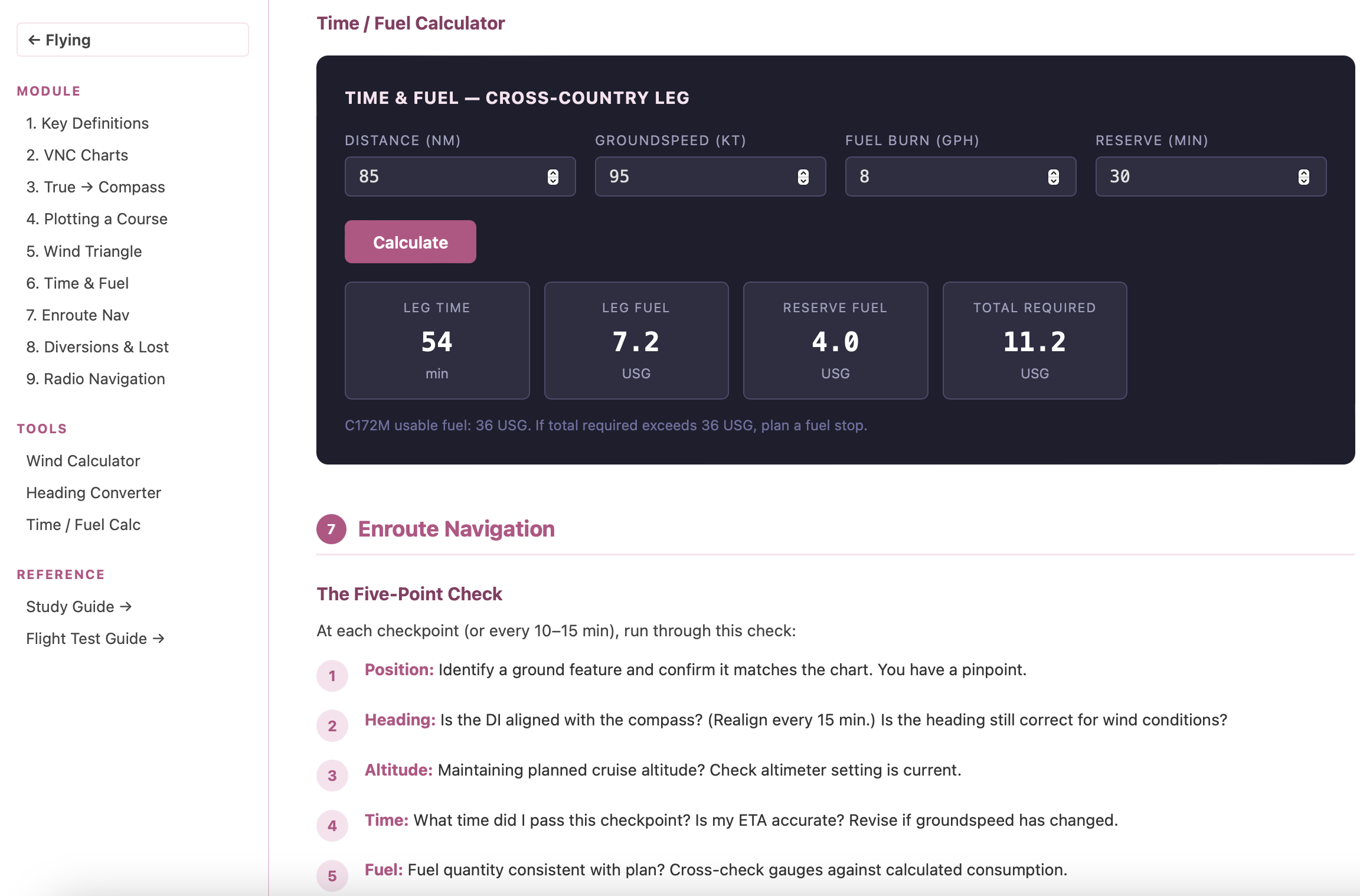
Navigation module -- Time/Fuel Calculator and Enroute Five-Point Check
The emergency procedures page pulls directly from the Namao Flying Club physical checklist. Each card -- static source blockage, engine fire in flight, inadvertent icing, all sixteen -- is formatted to match the physical card, with the same two-column action/value layout and the same memory items highlighted.
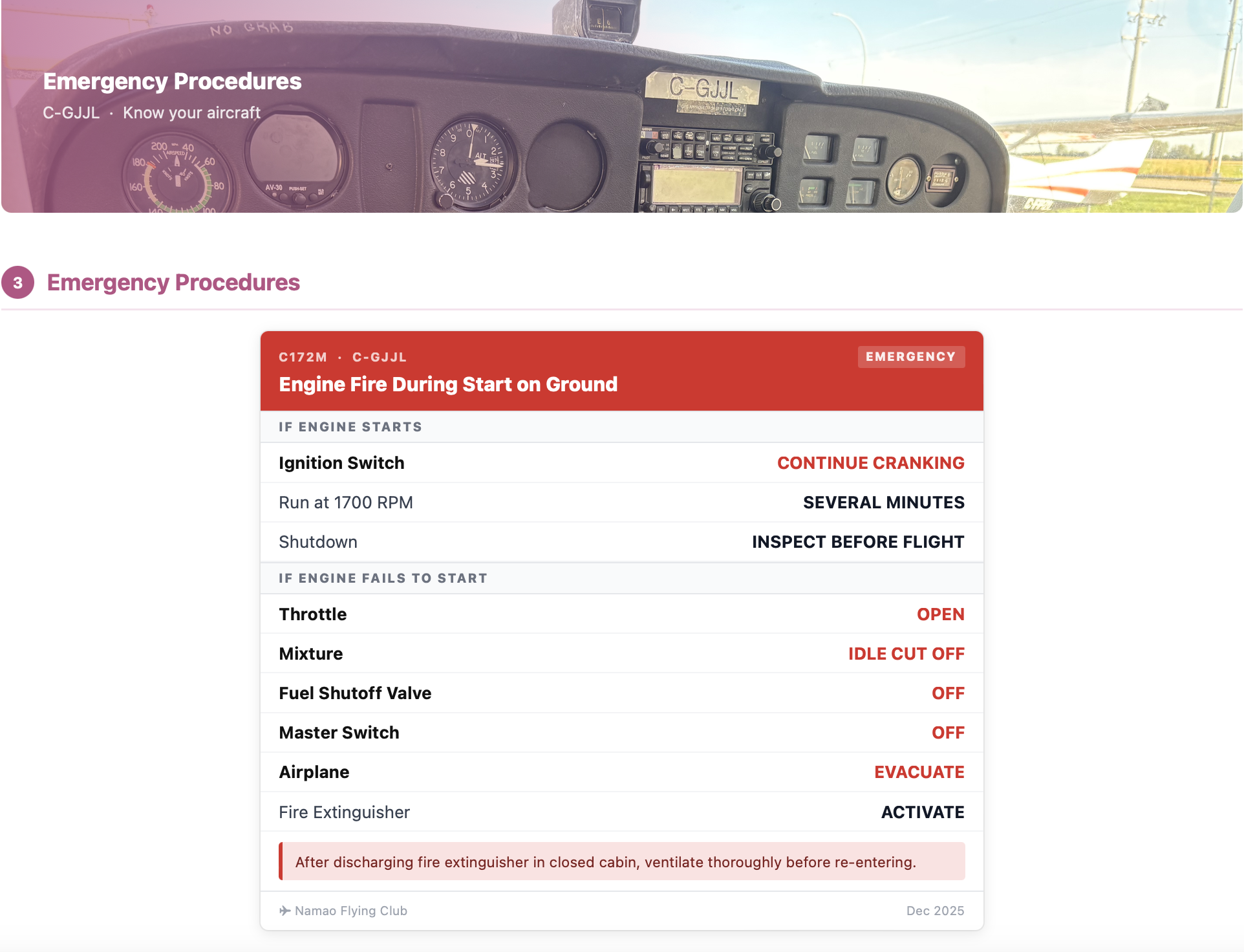
Engine Fire During Start on Ground -- one of the 16 individual emergency procedure cards
Study tools
The dashboard also covers the written and theoretical side of PPL training.
PPL Study Guide -- covers all 30 air exercises from the Transport Canada flight training curriculum, plus meteorology, aeronautics, flight instruments, CARs quick-reference tables, and human factors, range and endurance, airspace classifications, weight and balance, and more.
PSTAR Test Prep -- Two study modes built on Transport Canada's official PSTAR question bank (TP11919E): 193 questions across all 14 exam sections. Flash card mode lets you work section by section with a shuffle option and tracks which cards you have answered correctly. Practice test mode generates a randomized 50-question exam sampled proportionally from all sections, matching the real exam structure, and scores it instantly with pass/fail at the 90% (45/50) threshold. Every question, every answer, and every correct response is drawn directly from the published TC question bank and none of the content is paraphrased or AI-generated (ensuring accuracy of the materials is important!!)
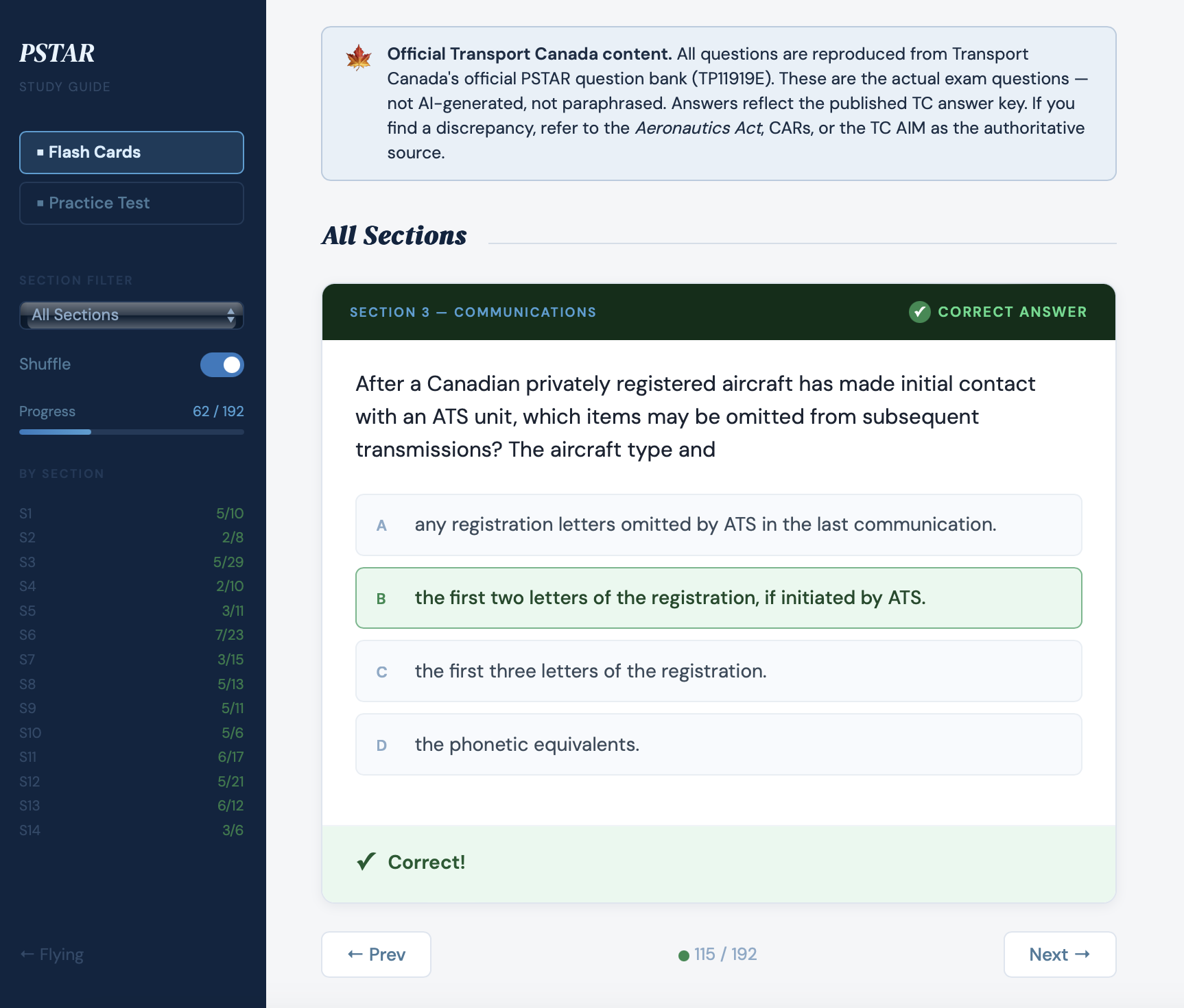
PSTAR flash card mode -- TC question bank, section filter, shuffle, and progress tracking
Flight Test Guide -- The series of exercises forming flight test criteria, formatted as the examiner would apply them.
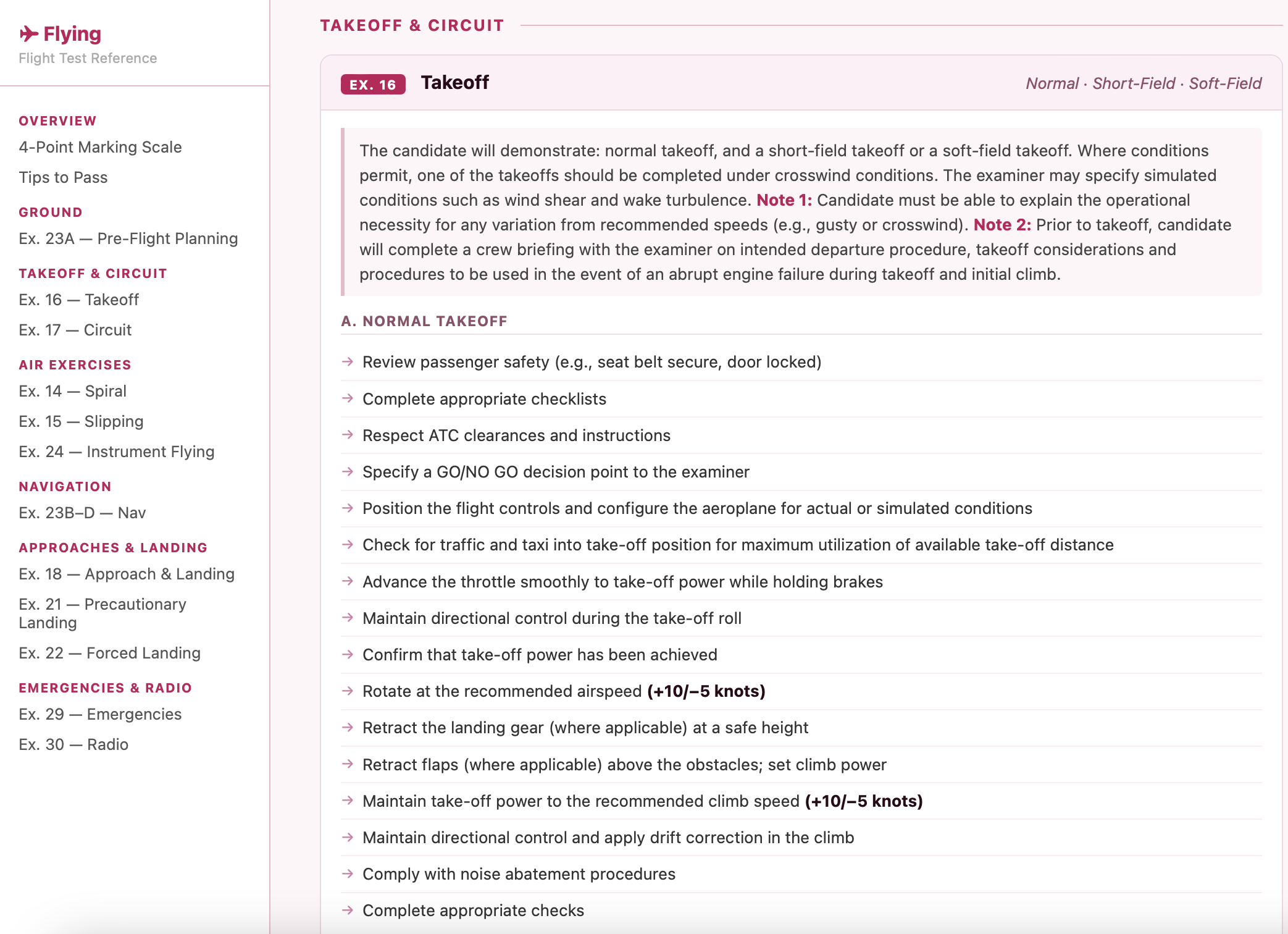
Flight Test Guide -- Exercise 16 Takeoff, normal/short-field/soft-field criteria
The Transport Canada guides, the Namao checklist, the POH for the C172M are some of the source reference materials The work was to take that domain knowledge, make decisions about how to present it, and build the interface that holds it together. The AI accelerated the build, but the domain expertise had to come first.
I talk about this kind of build with coaching clients regularly because it illustrates something important: AI assistance is most useful when you come to it with a specific problem and clear domain knowledge.